The Best Astro Directory Templates (Free and Paid)
Table of Contents
Directory sites are having a moment. “Best X in Y” sites, niche tool round-ups, curated resource hubs, local businesses - they’re cheap to run, great for SEO, and genuinely useful. And increasingly, the smart ones aren’t built on WordPress. They’re built on Astro.
This guide rounds up the best Astro directory templates and open-source directory builds you can clone, fork, and turn into your own. Some are polished, documented templates designed to be re-skinned for any niche. Others are real, live directories that happen to be open-source - fork them and you’ve got a battle-tested starting point. I’ve flagged which is which, along with the stack, data source, license, and the one thing each does better than the rest.
A note on the first entry: LocalFinds is my own paid template, so I’m not a neutral party on it. I’ve put it at the top because I think it’s the most complete option for the job, but I’ve tried to describe it on the same terms as everything else here - and the rest of the list is full of free, open-source alternatives if a paid template isn’t what you’re after. Judge it on the live demo, not my say-so.
But first, the obvious question.
Why Build a Directory on Astro Instead of WordPress?
A directory is mostly read-heavy, structured content - a list of things that changes a few times a week, not a few times a second. That workload is exactly what static site generation was built for, and it’s where the traditional WordPress stack starts working against you rather than for you.
Performance and cost. A WordPress directory runs PHP and hits a MySQL database on most page loads, then leans on caching plugins to paper over the result. Astro renders everything to static HTML at build time, so there’s no per-request database call - the page is already a file. That means it loads fast and serves from a CDN edge for roughly the cost of static hosting (often free or near-free on Cloudflare, Netlify, or GitHub Pages). No per-visit compute, no database to keep alive.
Maintenance and security. WordPress directories typically depend on a directory plugin plus a stack of supporting plugins, each one a moving part that needs patching. Plugins are also the most common WordPress attack surface, so a content site quietly becomes a security-patch treadmill. An Astro build has no plugin ecosystem with database-level access and, for a fully static directory, no server-side code to exploit at all. You update dependencies on your schedule, not when the next CVE lands.
Data flexibility. This is the quiet advantage. WordPress wants your content to live in its database. Astro directories are agnostic - the templates in this list pull listings from Markdown files, JSON, CSV, YAML, Google Sheets, Airtable, Notion, or even another GitHub repo’s data. Your content stays in a format you own and can move, version-control, or regenerate, instead of being locked inside wp_posts.
SEO out of the box. Directories live or die on programmatic SEO - hundreds or thousands of templated, indexable pages. Astro generates clean static HTML with per-page meta tags, structured data, and sitemaps without a plugin like Yoast bolted on top. Several templates here ship this configured, and one builds over 1,400 static pages from a single dataset.
The honest trade-off. Astro asks more of you upfront. WordPress gives you a browser-based admin panel and one-click hosting; most Astro directory templates assume you’re comfortable cloning a repo, editing a config file, and running a deploy command. Day-to-day content editing can still be no-code (editing a spreadsheet or Markdown file), but the initial setup is a developer’s job. If you’ll never touch a command line, a hosted directory builder or WordPress may genuinely serve you better - at the cost of monthly fees and less control. If you want a fast, cheap, owned asset you configure once, Astro is the better foundation.
Quick Picks
- Best paid template: LocalFinds - the most polished, documented, re-skin-for-any-niche option (full disclosure: my own template).
- Best free template: Minted Directory - open-source, the most-starred true template, and accepts content from six different sources.
- Best for large datasets: API Directory - 1,400+ APIs across 1,481 auto-generated pages.
- Best “fork a real site” example: Mac Apps Directory - a clean pattern for wrapping an existing data source.
- Easiest to contribute to: Bluesky.Garden - add a tool by editing one JSON file.
How I Chose
I looked at templates and open-source directories that are genuinely usable as a starting point today, weighing: activity and popularity (stars, commits, forks), data-source flexibility, quality of documentation, license terms, built-in search and SEO, and how easily the project re-skins to a different niche. Star counts are a signal, not the whole story - a clean, well-structured single-purpose build can be a better starting point than a popular but tangled one. Where a project comes with a catch (a restrictive license, an early-stage codebase), I’ve said so. And since one of these is mine, I’ve flagged that openly rather than burying it.
The Best Astro Directory Templates
1. LocalFinds
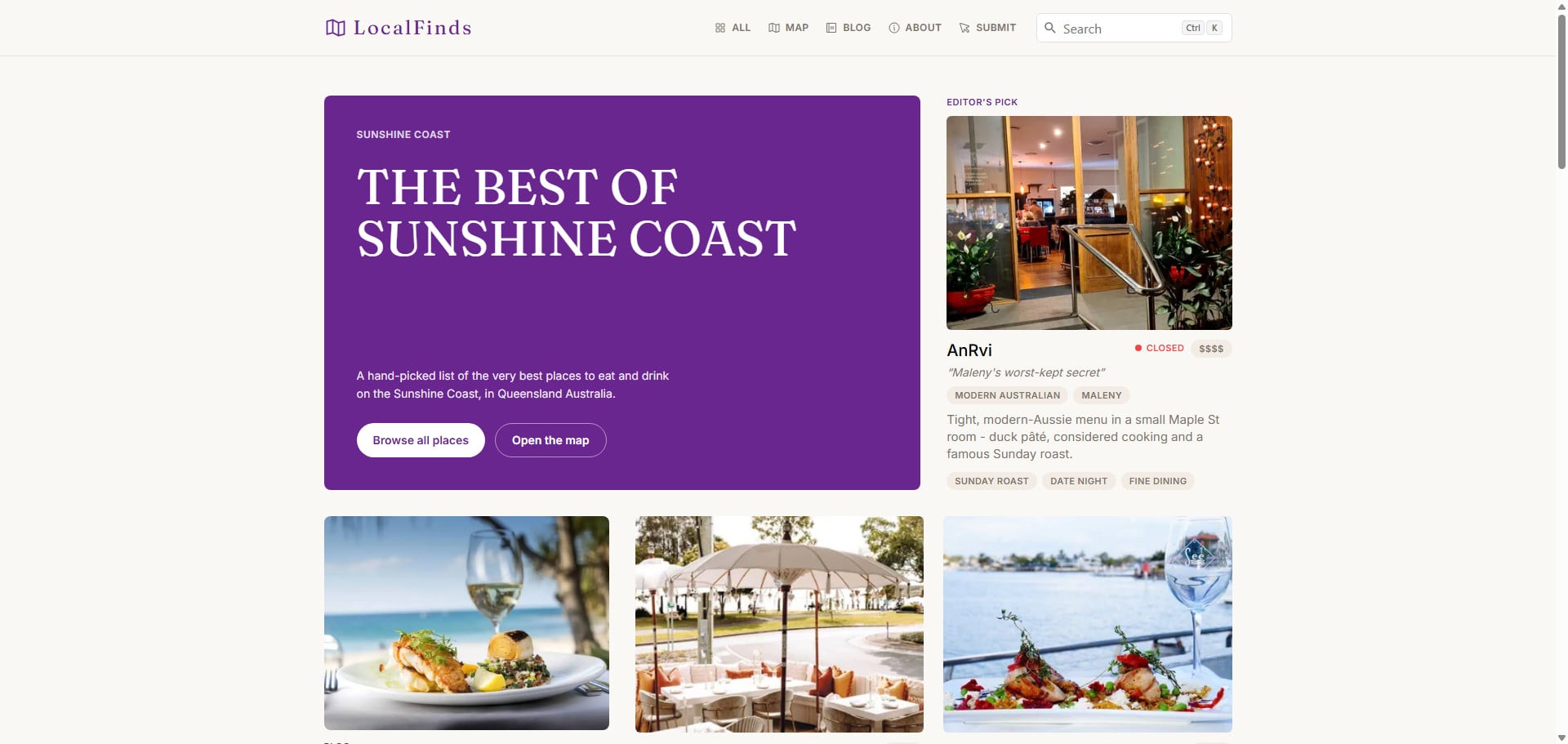
LocalFinds’ restaurant-guide demo - re-skinnable to any local vertical with a one-file edit.
What it is: A commercial, production-ready local-business directory template designed to be re-skinned for any local vertical. (Full write-up: websiterating.com · Live demo)
It’s built on Astro 6 and Tailwind v4, uses Airtable as a friendly spreadsheet-style CMS, and deploys to Cloudflare Workers. It ships configured as a Sunshine Coast restaurant guide, but that’s just a config value - the components are written in generic primitives (an Item, Taxonomies, an optional Tier), so switching from restaurants to salons, mechanics, or gyms is a one-file edit, not a rewrite.
The “batteries included” list is the longest here: live filtering with an “open now” toggle, rich detail pages with photo galleries and embedded maps, a keyless map view (MapLibre + OpenFreeMap), instant static search via Pagefind, an MDX blog, and three working forms with built-in spam protection. It’s also the only entry that comes with a full documentation set, including a step-by-step “convert it to a different vertical” walkthrough. The trade-off is that it’s the only paid option on this list - everything below is free and open-source - so if you’d rather not spend anything, skip ahead.
- Stack: Astro 6 + Tailwind v4, Cloudflare Workers (also Netlify/Vercel)
- Data source: Airtable
- License & cost: Commercial, $24.99 one-time (lifetime access, free updates)
- Best for: Developers and agencies building local directories for clients, or founders launching a niche “best X in Y” site who want a finished product with docs and support.
My take: If your directory is local-business shaped and you’d rather ship this week than assemble search, maps, and forms yourself, this is the one I’d reach for - the docs and the convert-to-any-vertical walkthrough are what justify paying over forking something free.
2. Minted Directory
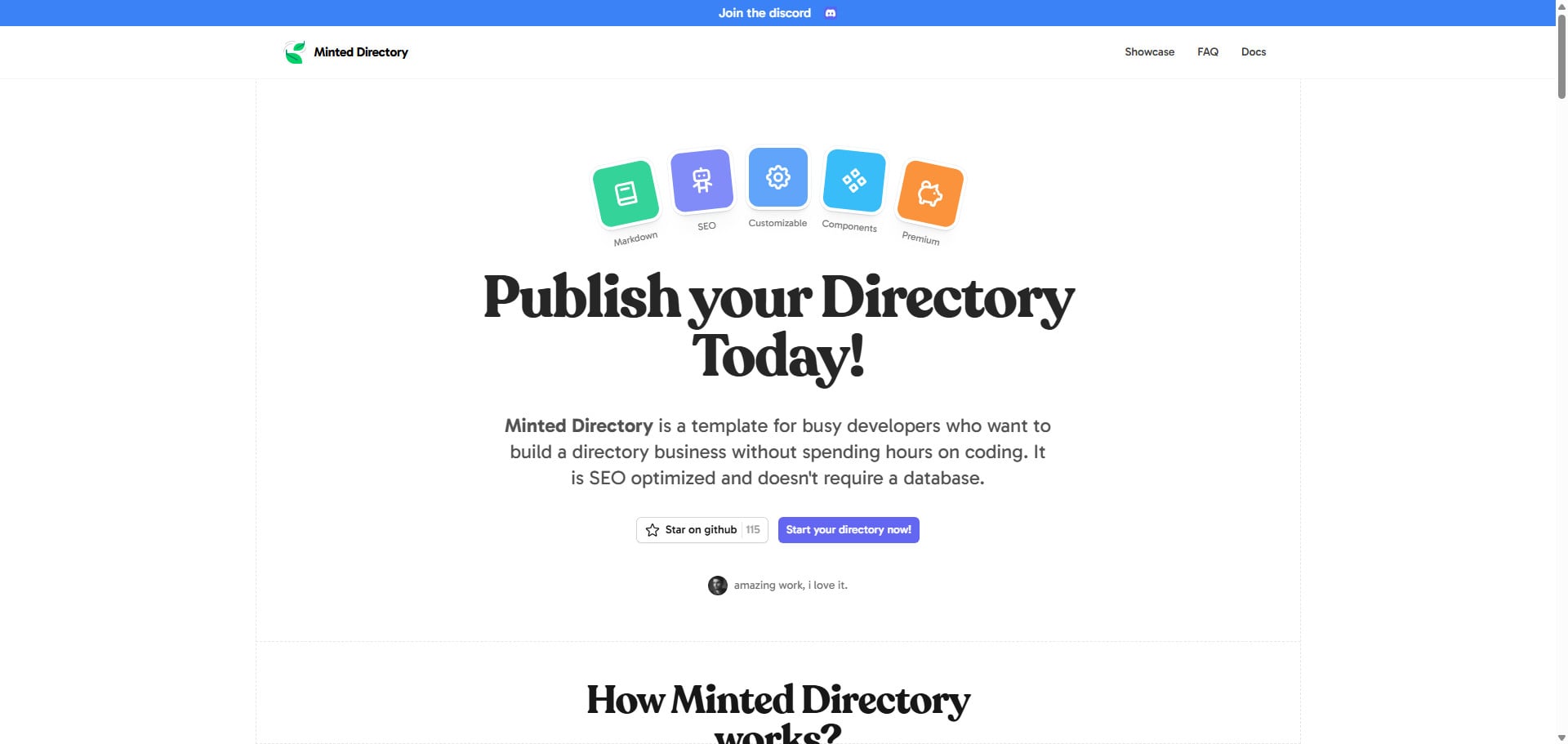
Minted’s peppermint style - one of two themes, fed from any of six data sources.
What it is: A purpose-built, open-source directory template - and the most-starred true template on this list. (Repo: masterkram/minted-directory-astro · Live demo)
If you want a free, ready-made template rather than a live site to fork, Minted is the one to beat. It’s a proper GitHub template repository, so you can spin up your own copy in one command, and it’s built on Astro and Tailwind CSS with SEO and programmatic SEO baked in.
Its standout feature is data flexibility. Most templates lock you into one content source; Minted accepts listings from Markdown, JSON, CSV, Google Sheets, Notion, and Airtable. That means you can start with a Markdown file and graduate to a spreadsheet or Airtable base later without changing templates. It also ships dark/light mode, tags, search, sponsored-content slots, and two pre-made styles (spearmint and peppermint) out of the box.
- Stack: Astro + Tailwind CSS
- Data source: Markdown, JSON, CSV, Google Sheets, Notion, Airtable
- License & cost: MIT, free
- Best for: Anyone who wants a flexible, no-cost starting point and may change how they manage content over time.
My take: This is the free template I’d point most people to first. The six-source flexibility means you’re not betting your whole project on one content decision you made on day one.
3. API Directory (API Hub)
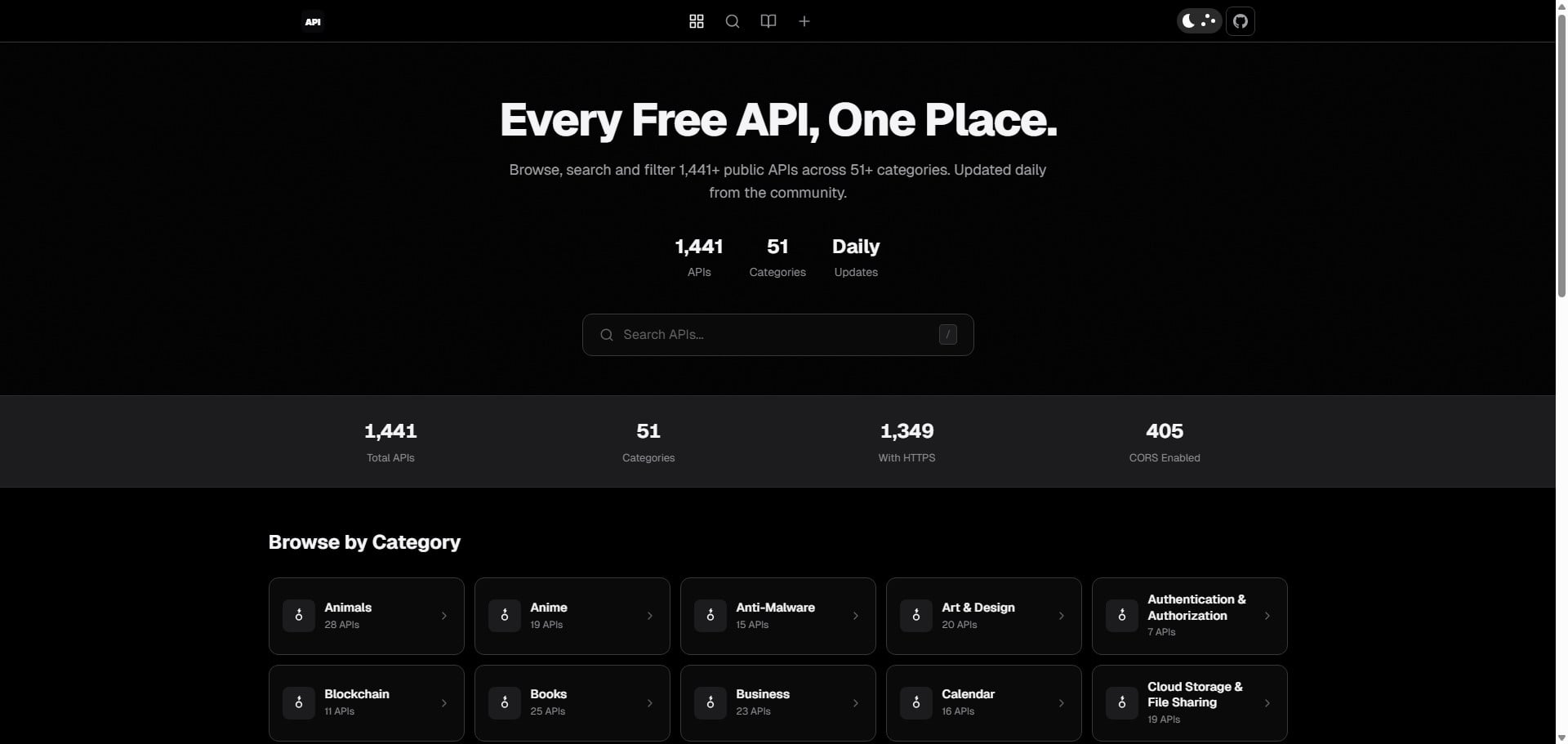
1,400+ APIs across 51 categories - the programmatic-SEO build Astro was made for.
What it is: A large-scale, community-maintained directory of free public APIs - a continuation of the well-known public-apis project. (Repo: BEKO2210/API_directory · Live demo)
This is the best example on the list of Astro handling scale. It’s built on Astro 5, Tailwind v4, and Pagefind, and it generates over 1,400 APIs into 1,481 static pages across 51 categories - exactly the kind of programmatic-SEO build directories are made for. A daily GitHub Actions workflow syncs the latest data from public-apis, merges community contributions, and even auto-processes new-API submissions filed through issue templates.
It also ships the kind of polish that makes a directory feel finished: offline search via Pagefind, dark mode, PWA support, and SEO optimization throughout. If your directory is data-heavy and you want it to stay fresh automatically, this is a strong pattern to study or fork.
- Stack: Astro 5 + Tailwind v4 + Pagefind, GitHub Pages
- Data source: public-apis fork + community JSON, auto-synced daily
- License & cost: MIT, free
- Best for: Large, frequently updated datasets where automated syncing and thousands of pages matter.
My take: Even if APIs aren’t your niche, fork this just to study the daily-sync workflow - the auto-rebuild pipeline is the part that’s genuinely hard to get right, and it’s already solved here.
4. Mac Apps Directory
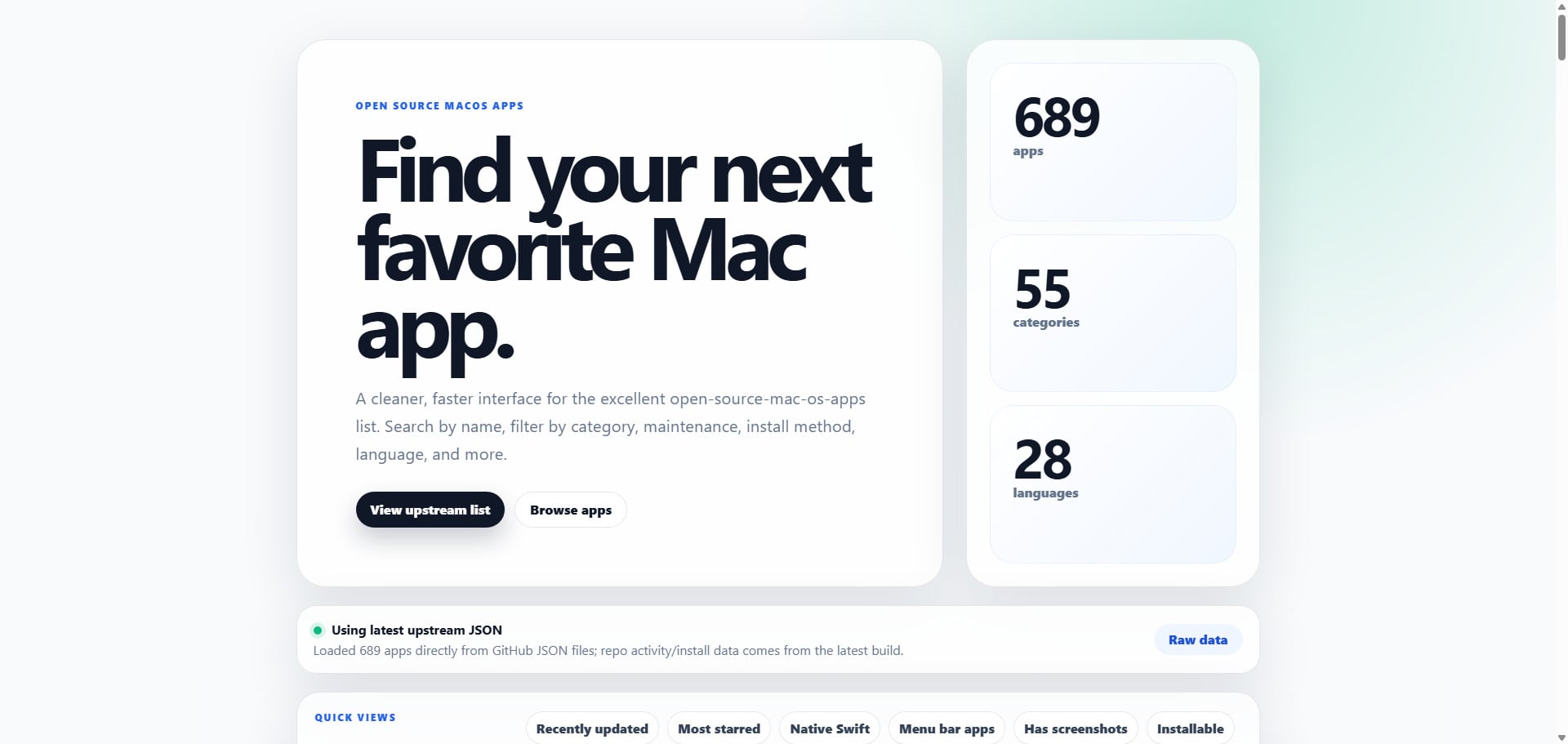
Each app enriched at build time with live GitHub stars, releases, and last-commit dates.
What it is: A searchable Astro wrapper around an existing open-source list of macOS apps. (Repo: LVTD-LLC/mac-apps-directory · Live demo)
This one earns its place as the cleanest example of a useful pattern: taking someone else’s data source and wrapping it in a fast, browsable, SEO-friendly front end. It pulls from a popular community-maintained JSON list of open-source Mac apps, then enriches each entry at build time with live GitHub data - stars, forks, archived status, latest releases, and last-commit dates.
The result is genuinely feature-rich: search and filter by category, language, maintenance recency, and install path; curated quick views (recently updated, most starred, native Swift, menu-bar apps); installability signals from Homebrew and the Mac App Store; and a daily GitHub Pages rebuild to keep things current. The one caveat: it’s the newest and least-proven project here, so treat it as a clean pattern to learn from rather than a mature, widely-vetted template.
- Stack: Astro + TypeScript, GitHub Pages
- Data source: External JSON list, enriched with GitHub API data at build time
- License & cost: Free (open-source)
- Best for: Anyone wrapping an existing dataset (a GitHub list, a public API) in a polished directory front end.
My take: The build-time GitHub enrichment is the trick worth stealing here - it turns a static list into something that feels live without any runtime cost. Just treat the code as a young reference, not a battle-tested base.
5. CloudCredits.io
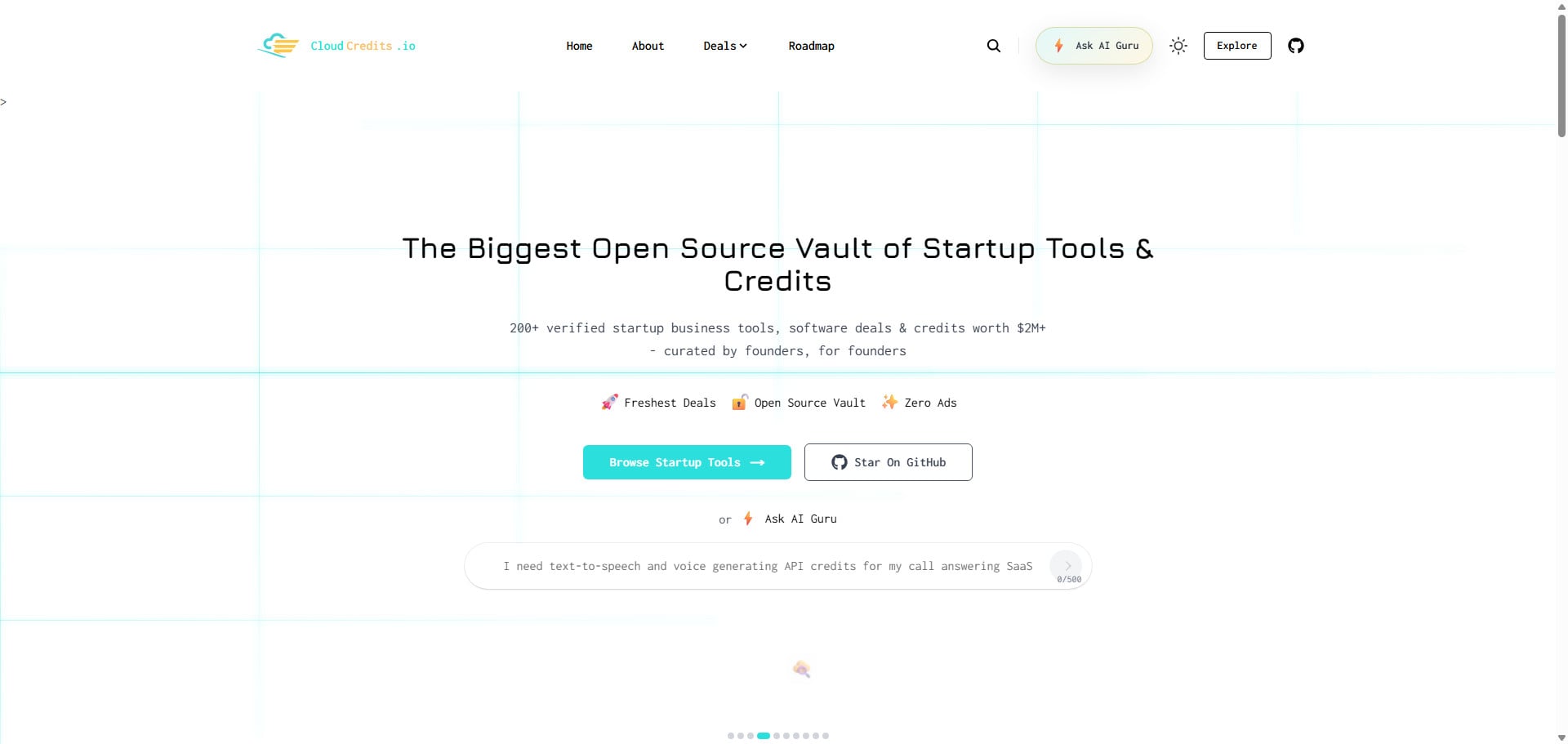
A real, ad-free directory tracking 200+ startup programs - and a complete build to fork.
What it is: A live, open-source directory of startup credits, cloud deals, and SaaS discounts. (Repo: t3-sh/cloudcredits.io · Live demo)
CloudCredits is a real directory tracking 200+ verified startup programs worth a claimed $2M+ - with zero ads, affiliates, or tracking. It’s a useful fork target because it’s a complete, maintained build rather than a stripped-down template: Astro and TypeScript, Pagefind for static search, and a Cloudflare (Wrangler) deployment setup. AI agents surface and refresh deal data, with human maintainers reviewing each addition.
Because it’s MIT-licensed and actively maintained, it’s a solid reference for how to structure a community-driven directory with categories, contribution guidelines, and a real deployment pipeline.
- Stack: Astro + TypeScript + Pagefind, Cloudflare
- Data source: Structured data, community + AI-agent maintained
- License & cost: MIT, free
- Best for: Studying or forking a real, actively-maintained community directory with a full contribution workflow.
My take: Of the “fork a real site” options, this is the most complete and least niche-locked - MIT-licensed, maintained, and structured enough that you could swap the subject matter without fighting the codebase.
6. Shelldex (clawdex)
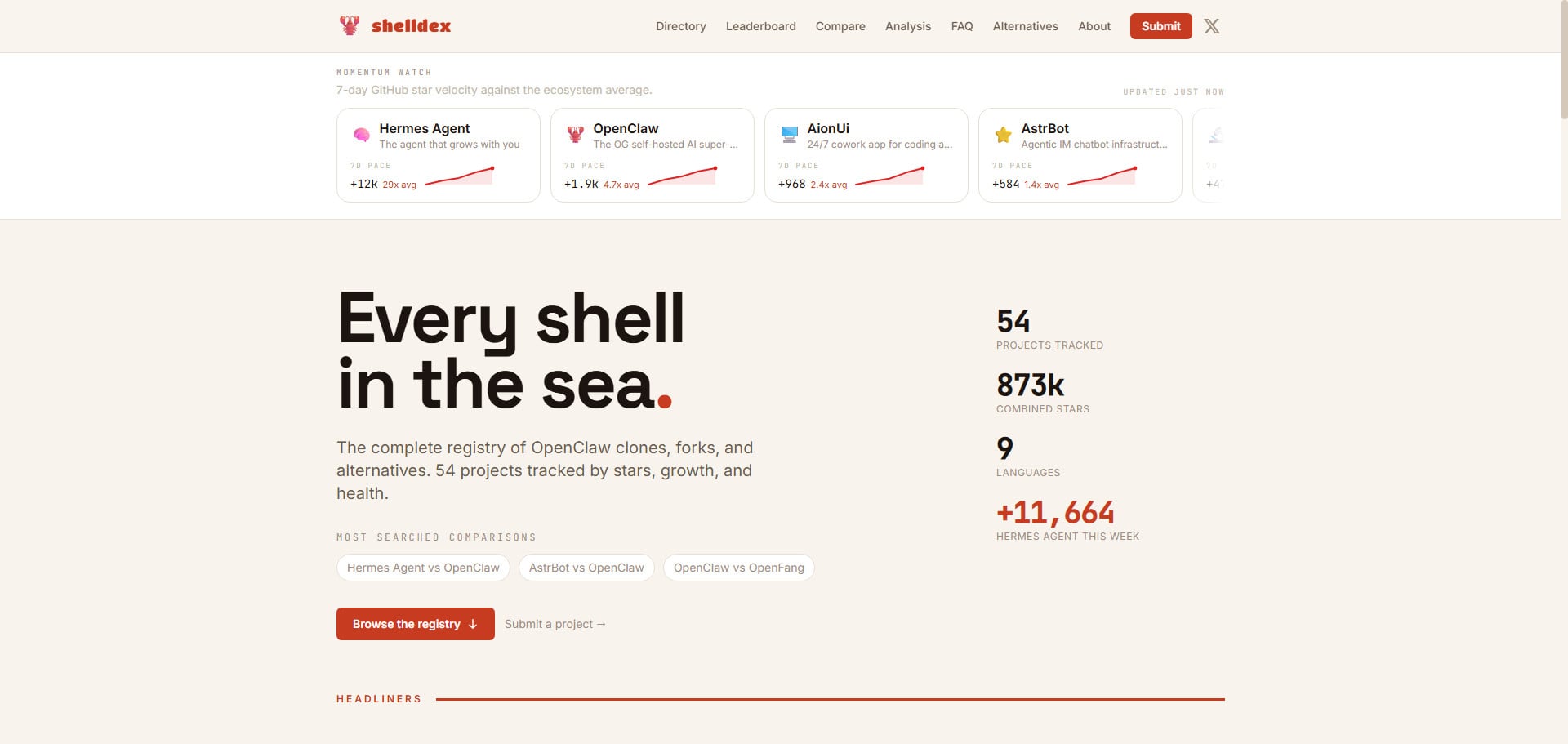
Clean, tiered design where every listing is a single CI-validated YAML file.
What it is: A community-maintained directory cataloging clones, forks, and derivatives of an open-source AI agent project. (Repo: daveonkels/clawdex · Live demo)
Shelldex is small in star count but clean in design, and it demonstrates one of the most maintainable contribution models on this list: each listing is a single YAML file, and a GitHub Actions CI step validates the schema automatically on every pull request. Add a project, open a PR, the schema gets checked, a human merges. It’s a tidy approach if you expect community contributions and want to keep data quality high without manual review of every field.
Built on Astro and Tailwind, it also includes a sensible categorization system (tiers, categories, status) that’s worth borrowing even if you don’t use the project as-is.
- Stack: Astro + Tailwind CSS
- Data source: One YAML file per listing, schema-validated via CI
- License & cost: MIT, free
- Best for: Community-driven directories that want structured, validated contributions via pull request.
My take: Small stars, but the schema-validated-YAML-per-listing model is the smartest contribution pattern on this list - copy it the moment you expect more than a handful of outside PRs.
7. Rise of Machine
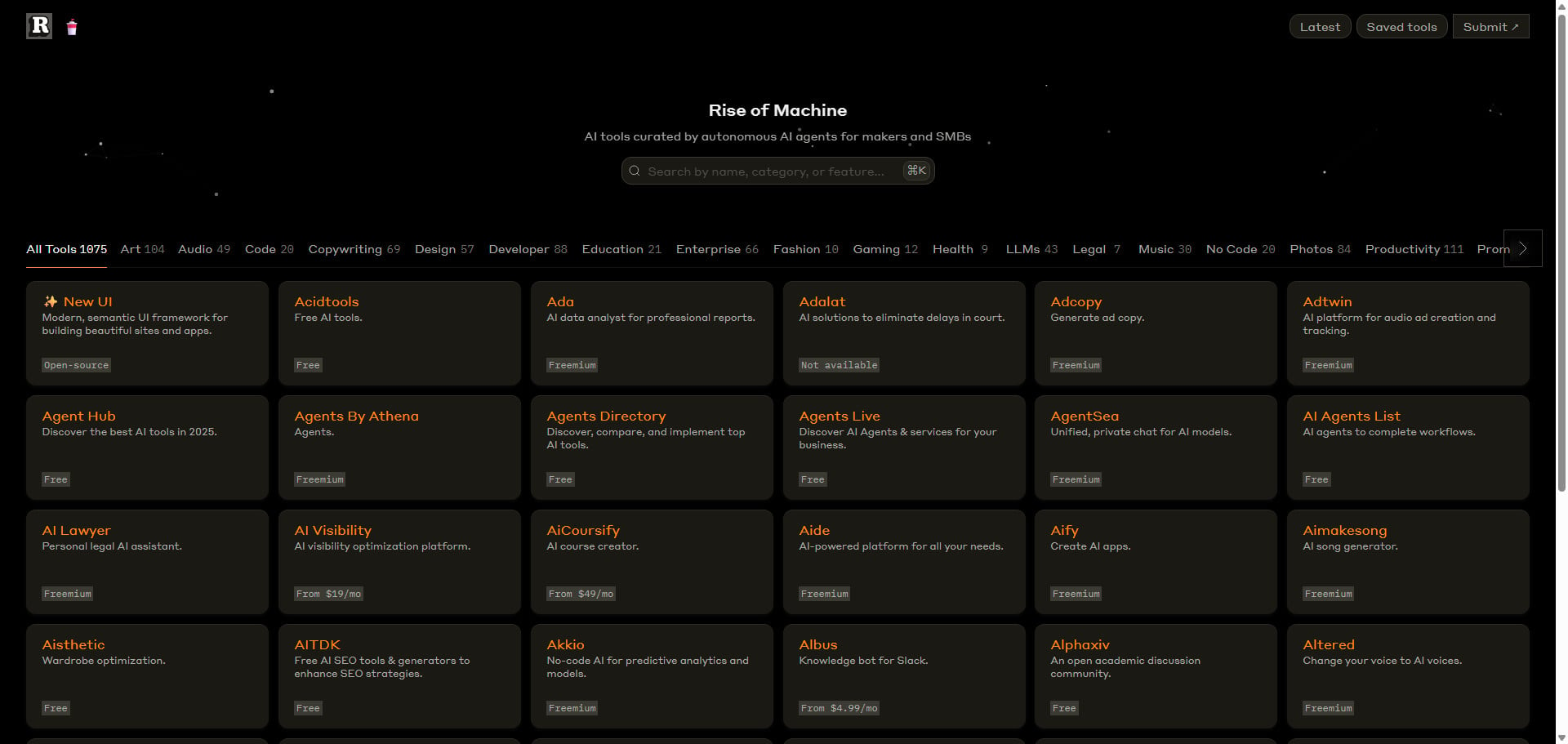
An AI-tools directory whose listings are discovered and curated by autonomous agents.
What it is: A directory of AI tools, curated by autonomous AI agents, aimed at creators, makers, and small businesses. (Repo: planetabhi/riseofmachine · Live demo)
Rise of Machine is one of the more active projects on this list by commit history, and it’s a good look at a modern, lean Astro + TypeScript directory deployed on Netlify with edge functions. The AI-agent curation angle makes it an interesting reference if you’re thinking about automating how listings get discovered and added rather than relying purely on manual or PR-based submissions.
It’s more of a real-site-to-fork than a packaged template - the documentation is light - but the structure is clean and the niche (AI tools) is one of the most popular directory categories going.
- Stack: Astro + TypeScript, Netlify (edge functions)
- Data source: Curated (AI-agent assisted)
- License & cost: Free (open-source; check the repo license)
- Best for: AI-tool directories and anyone interested in automated curation workflows.
My take: Interesting more for the automated-curation angle than as a template - the light docs mean you’ll be reading code, but if AI-assisted discovery is your endgame, this is the live example to learn from.
8. Bluesky.Garden
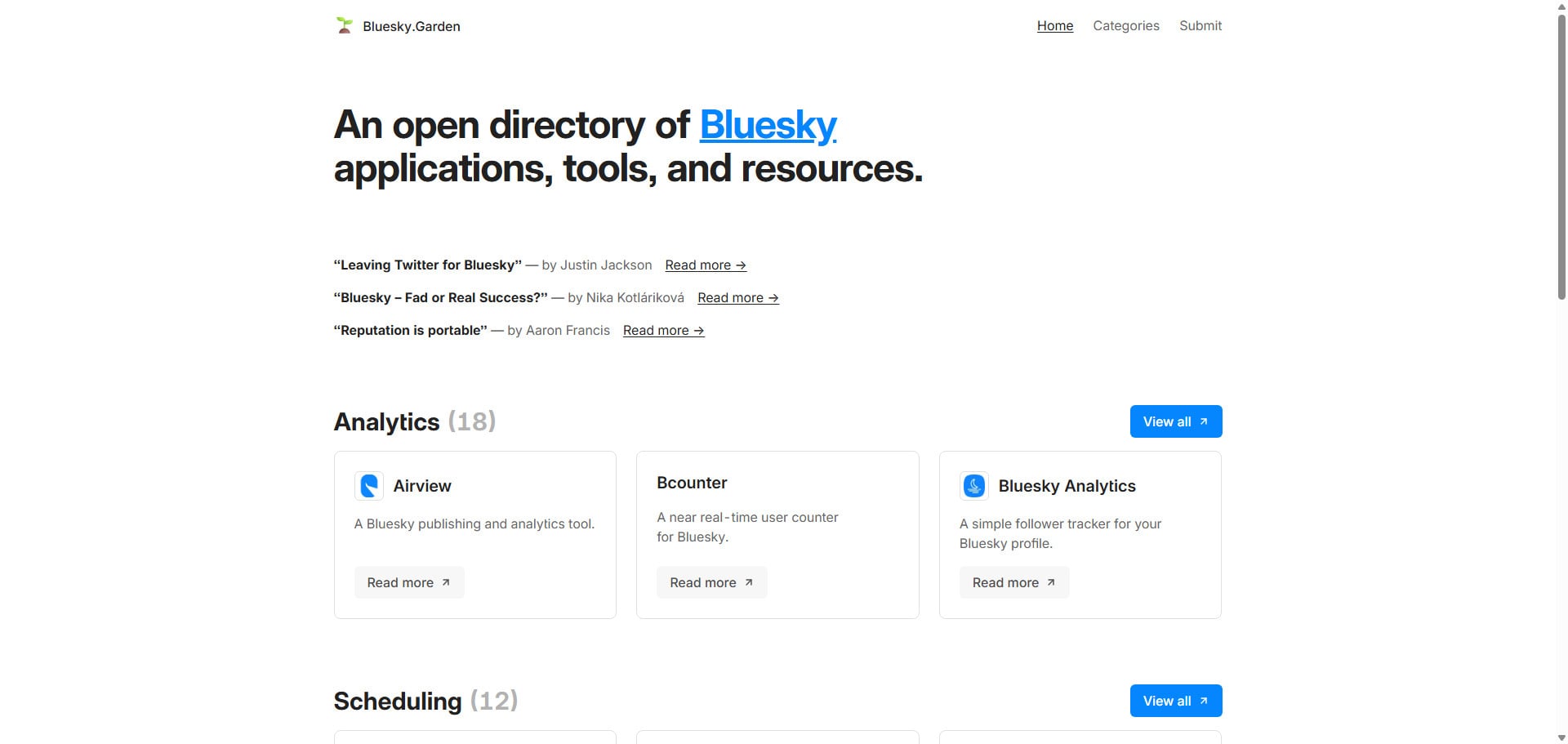
The whole directory runs off one tools.json file - contribute by opening a PR against it.
What it is: An open directory of Bluesky apps, tools, and resources. (Repo: krasun/bluesky.garden · Live demo)
Bluesky.Garden has the simplest contribution model here: the entire directory is driven by a single tools.json file, and submitting a tool means opening a pull request against it. It also includes nice build-time touches - scripts that auto-generate favicons, sort and deduplicate entries, and produce screenshots for each tool (via ScreenshotOne). Built on Astro, it’s a clean, minimal reference for a single-file-data directory.
One important caveat: unlike the MIT-licensed projects above, Bluesky.Garden is licensed under AGPL-3.0 with an explicit request not to reproduce its code to build a competing directory. So treat it as a reference and a place to submit your Bluesky tool - not as a free template to clone for your own unrelated directory. Read the license before you build on it.
- Stack: Astro
- Data source: Single
tools.jsonfile (PR to contribute) - License & cost: AGPL-3.0 (with anti-compete clause) - read before reusing
- Best for: Studying a clean single-file directory model, or submitting a Bluesky tool. Not for cloning into an unrelated directory.
My take: Lovely as a reference, off-limits as a base - the AGPL anti-compete clause means you should admire the single-file model and the auto-screenshot scripts from a distance, then build your own.
9. Banks in India
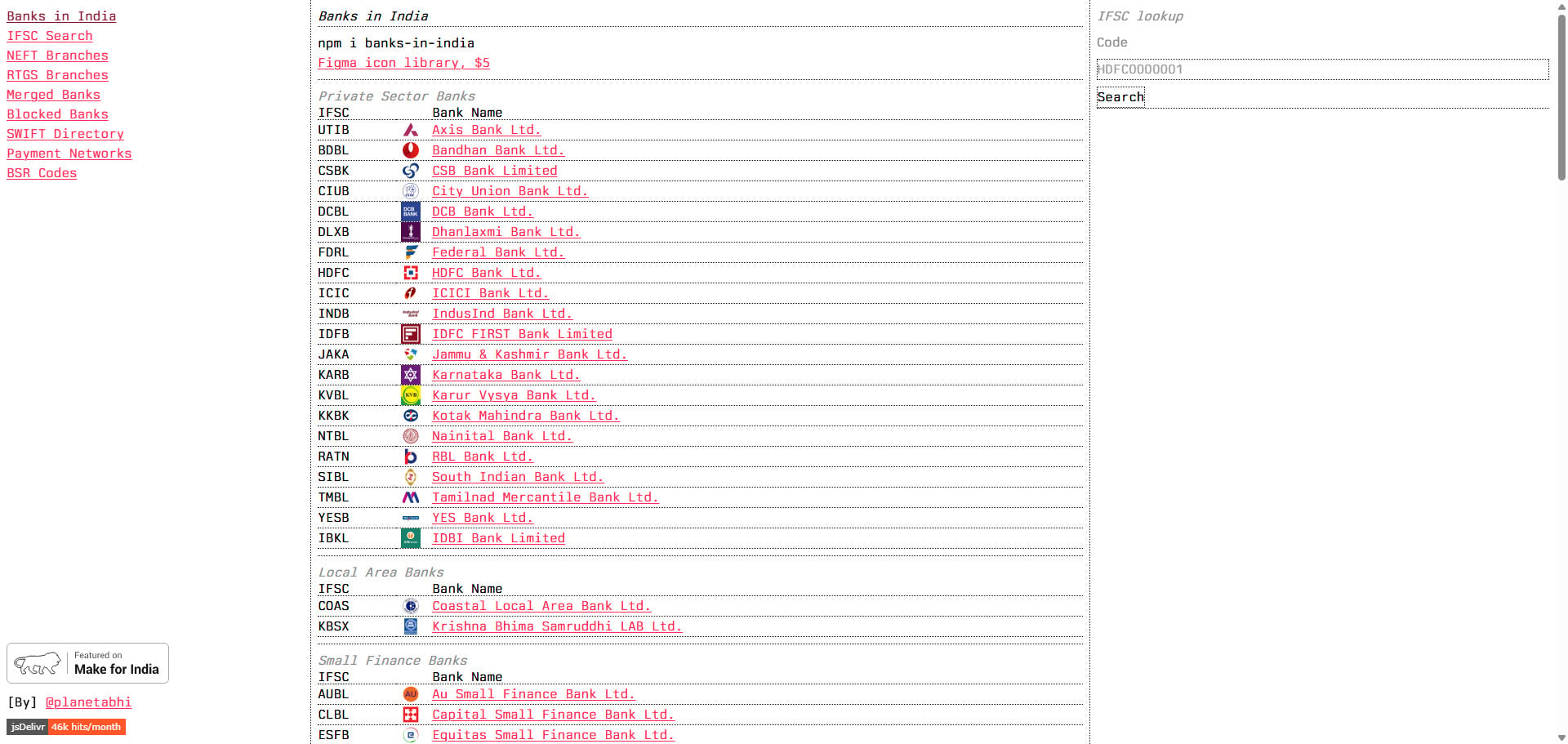
A reference-data directory whose dataset ships separately as an installable npm package.
What it is: A data-heavy open directory of verified Indian banking institutions - IFSC codes, SWIFT networks, BSR directories, and NPCI payment rails. (Repo: planetabhi/banks-in-india · Live demo)
This is the most data-centric entry on the list, and a good example of Astro handling a reference directory rather than a curated round-up. It’s built on Astro with a Python data pipeline, deployed on Netlify, and notably ships its dataset as an installable npm package - a clean way to separate the data layer from the presentation layer.
If your “directory” is really a structured reference dataset (postcodes, codes, institutions, specs) rather than a list of links, this is the pattern to look at.
- Stack: Astro + Python, Netlify
- Data source: Structured dataset (also published as an npm package)
- License & cost: Free (open-source)
- Best for: Reference-data directories where the dataset itself is the product.
My take: The standout idea is shipping the dataset as its own npm package - separating data from presentation is exactly the discipline most directory projects skip and later regret.
Comparison Table
| Template | Type | Data Source | License | Search | Hosting | Stars |
|---|---|---|---|---|---|---|
| LocalFinds | Paid template | Airtable | Commercial ($24.99) | Pagefind | Cloudflare/Netlify/Vercel | — |
| Minted Directory | Free template | MD/JSON/CSV/Sheets/Notion/Airtable | MIT | Yes | Any static | 150 |
| API Directory | Live build | public-apis + community JSON | MIT | Pagefind | GitHub Pages | 6 |
| Mac Apps Directory | Live build | External JSON + GitHub API | Open-source | Yes | GitHub Pages | 0 |
| CloudCredits.io | Live build | Structured / community | MIT | Pagefind | Cloudflare | 65 |
| Shelldex | Live build | YAML per listing | MIT | — | Static (nginx) | 5 |
| Rise of Machine | Live build | Curated (AI-assisted) | Open-source | — | Netlify | 87 |
| Bluesky.Garden | Live build | Single JSON file | AGPL-3.0 | — | Static | 14 |
| Banks in India | Live build | Dataset / npm package | Open-source | — | Netlify | 18 |
Star counts are approximate and change over time.
How to Choose the Right One
Do you want a finished template or a project to fork? If you want documentation, support, and a re-skin-in-one-file design, LocalFinds (paid) or Minted Directory (free) are built for that. The rest are real, open-source sites - excellent starting points, but you’ll be reading code rather than following a setup guide.
How will you manage content? This is the biggest practical decision. Prefer a spreadsheet? Look at Airtable-based options (LocalFinds, Minted). Happy in Markdown or JSON? Almost all of them work, and Minted handles the most formats. Got an existing dataset or API? Mac Apps Directory and Banks in India show how to wrap it.
How much data, and how often does it change? For thousands of frequently-updated listings, study API Directory’s daily-sync model. For a curated few-hundred, almost any option works.
Check the license before you build. Most here are MIT (do almost anything). Bluesky.Garden is AGPL-3.0 with an anti-compete clause - fine to reference and contribute to, not to clone for a rival directory.
FAQ
Do I need to know Astro to use these? Not deeply, but you do need to be comfortable with the command line for setup and deployment - cloning a repo, editing a config file, running a build command. Day-to-day content editing afterward can be no-code (a spreadsheet or Markdown file), but the initial setup is a developer task.
Markdown, Airtable, or JSON - which data source is best? It depends on who’s editing. Markdown and JSON are great for developers and version control. Airtable and Google Sheets suit non-technical editors and clients. Minted Directory’s appeal is that it supports all of them, so you’re not locked in.
Where should I host an Astro directory? Anywhere that serves static sites: Cloudflare, Netlify, Vercel, or GitHub Pages are all used by templates on this list, and all have free or near-free tiers. Because the output is static HTML, hosting is cheap and fast.
Are these better than a hosted directory builder? For control, cost, and ownership, yes - you own the code and data, with no monthly platform fees. For pure convenience and zero technical setup, a hosted SaaS builder may suit non-technical users better. It’s the classic own-it-vs-rent-it trade-off.
Can I use these for any niche? The true templates (LocalFinds, Minted) are explicitly designed to re-skin for any vertical. The live builds are tied to their niche, but the code is a fine starting point you can repurpose - just mind each project’s license.
The Bottom Line
Astro has quietly become the default for people who want a directory that’s fast, cheap to run, owned outright, and built for SEO - without the plugin-and-patch grind of WordPress. If you want a finished, documented product, LocalFinds (paid) and Minted Directory (free) are the two purpose-built templates to start with.
If you’d rather fork a real, working site and make it your own, the open-source builds here - from large-scale API Directory to the clean single-file model of Bluesky.Garden - give you a proven foundation for almost any kind of directory you can think of.